Maintenance
The Maintenance feature in Ottu's Real Estate Plugin enables both tenants and merchants to coordinate on reporting and resolving property issues. This streamlined process facilitates efficient communication between tenants and landlords, ensuring that maintenance requests are addressed promptly.
Maintenance Dashboard
The Maintenance Dashboard simplifies issue reporting and tracking for both tenants and merchants.
Key features:
- Tenant-Initiated Tickets -- Tenants report issues by scanning a QR code and filling out a form.
- Merchant-Initiated Tickets -- Merchants can manually create tickets using the +ADD NEW Ticket button.
- Status Updates -- Merchants can update ticket status (New, In Progress, Closed) and add internal messages.
- Centralized Ticket Overview -- View all tickets with filters for property, status, and issue type.
- Ticket Closure -- Resolved tickets are marked as Closed and removed from active lists.
Benefits:
- Clear communication between tenants and merchants
- Easy tracking of issue status
- Organized maintenance records
- Proactive issue management
Tenant-Initiated Maintenance Tickets
Tenants can easily report maintenance issues through a QR code-based system. This enhances communication between tenants and merchants, ensuring maintenance requests are promptly addressed.
Tenant Side
Accessing the Ticket Form
How the merchant obtains the QR code:
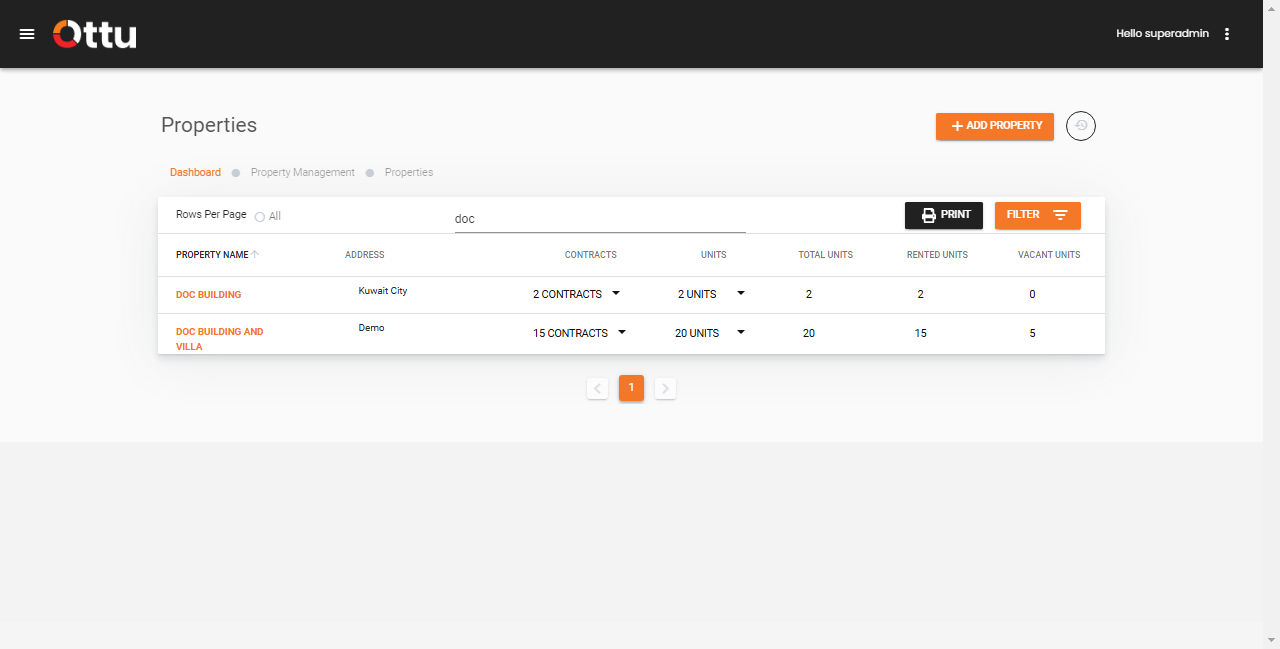
- Navigate to the Property Management section within the dashboard.
- Search for the specific property needing maintenance.
Merchant Side
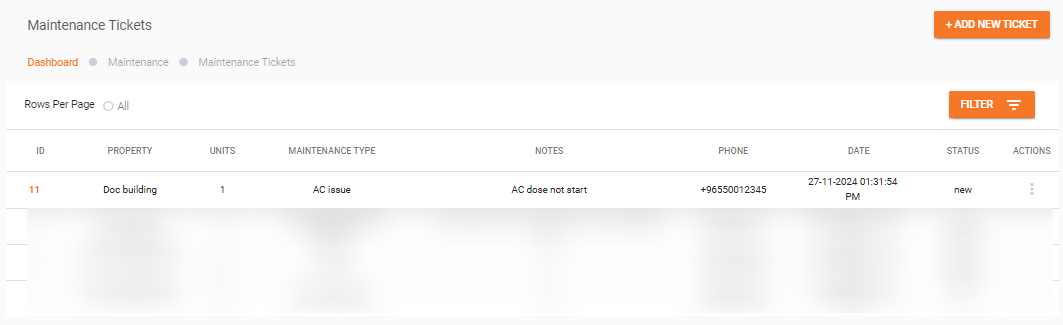
Reviewing the Ticket
Merchant-Initiated Maintenance Tickets
Merchants can proactively manage maintenance tasks by creating tickets themselves, even if issues were not submitted by tenants through the QR code system.
1. Access the Maintenance Ticket Section
Navigate to the Maintenance Tickets section in the dashboard.
2. Add a New Ticket
Click the +ADD NEW Ticket button to open a blank ticket form.
3. Fill in the Ticket Details
Tenant Side Information:
| Field | Description |
|---|---|
| Unit Number | The number of the unit where the issue exists |
| Issue Type | The type of issue (e.g., AC, Elevator, Security) |
| Notes | Additional notes or descriptions about the issue |
| Phone Number | Contact number for communication |
Merchant Side Information:
| Field | Description |
|---|---|
| Status | Set the ticket status: New, In Progress, or Closed |
| Message | Internal notes or messages regarding the issue |
4. Save the Ticket
After filling in all the necessary information, click Save to create the ticket.
By adding tickets manually, merchants can:
- Track internal issues -- Document maintenance issues identified during inspections or reported through other channels.
- Maintain comprehensive records -- Keep all maintenance activities logged within the system.
- Enhance communication -- Ensure all team members are aware of ongoing maintenance tasks and their statuses.
What's Next?
- Property Management -- Manage property details and units
- Tenant & Contract Management -- Manage tenants and their contracts
- Transactions -- Monitor payment transactions