Manual Payment
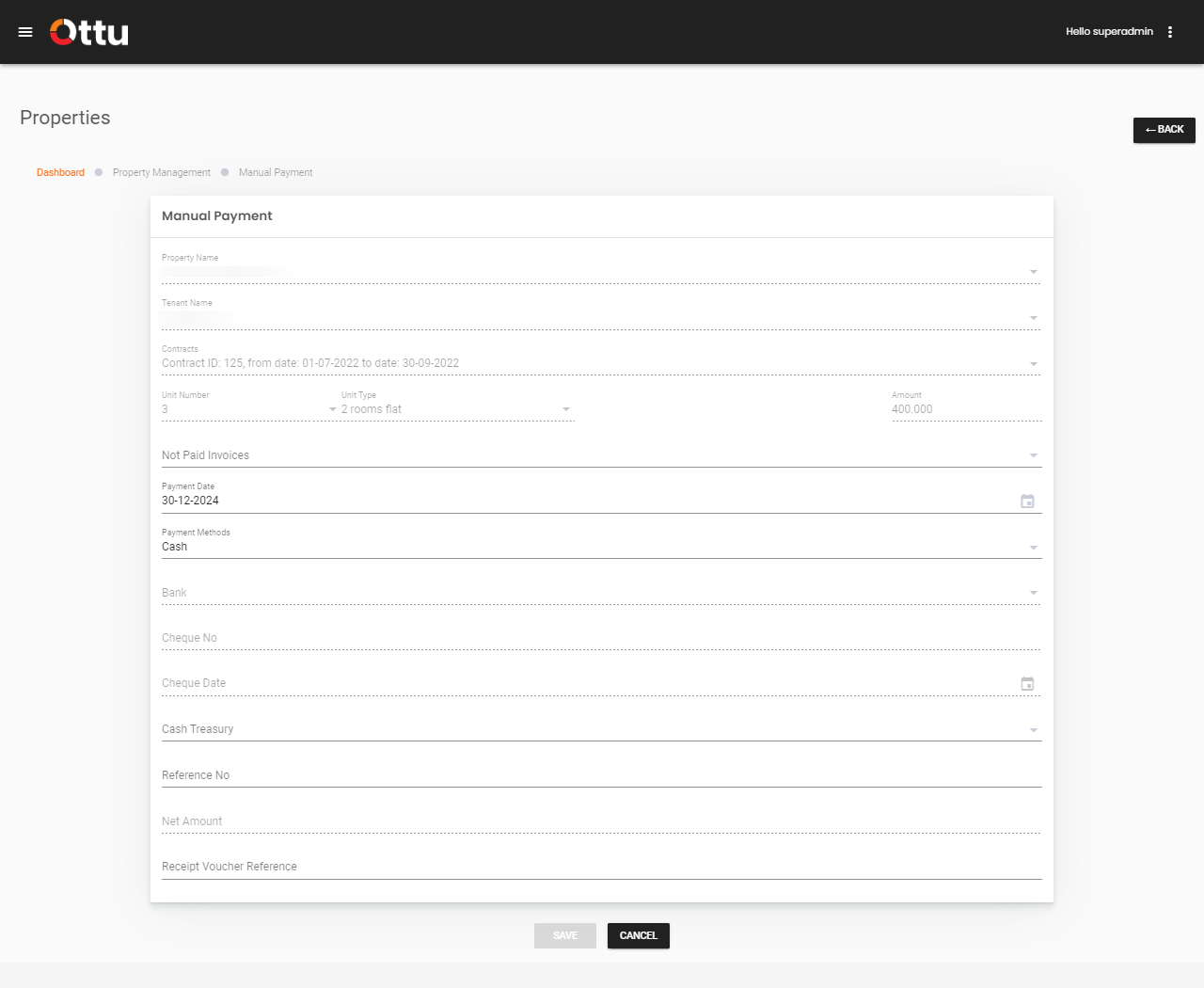
Ottu enables merchants to record manual (offline) payments through a streamlined process. To initiate a manual payment, follow the steps described in Triggering Contract Actions.
note
To initiate a manual payment, invoices must first be generated through the Generate Invoices section.
Manual Payment Form
Upon triggering the manual payment action, the Manual Payment Form is presented. Fill in the following fields:
| Field | Description |
|---|---|
| Not Paid Invoices | Select invoicing periods connected to the contract that have not been paid |
| Payment Date | The date on which the manual payment is made |
| Payment Methods | The method used to make the payment. Available options are based on the payment methods selected when creating the contract |
| Bank | The bank name, if the payment is made via bank transfer |
| Cheque No | Cheque number, if the payment is made by cheque |
| Cheque Date | Date of the cheque, if the payment is made by cheque |
| Cash Treasury | Treasury details, if the payment is made in cash |
| Reference No | Reference number associated with the payment |
| Price | Automatically populated based on the selected unpaid invoices |
| Receipt Voucher Reference | Reference number of the receipt voucher associated with the payment |
What's Next?
- Contract Management -- Overview of all contract actions
- Advance Payment -- Process advance rent payments
- Invoices Management -- View and manage all invoices
- Auditing -- Roll back a manual payment if needed