Renew Contract
Ottu enables merchants to seamlessly renew existing contracts. To initiate a contract renewal, follow the steps described in Triggering Contract Actions.
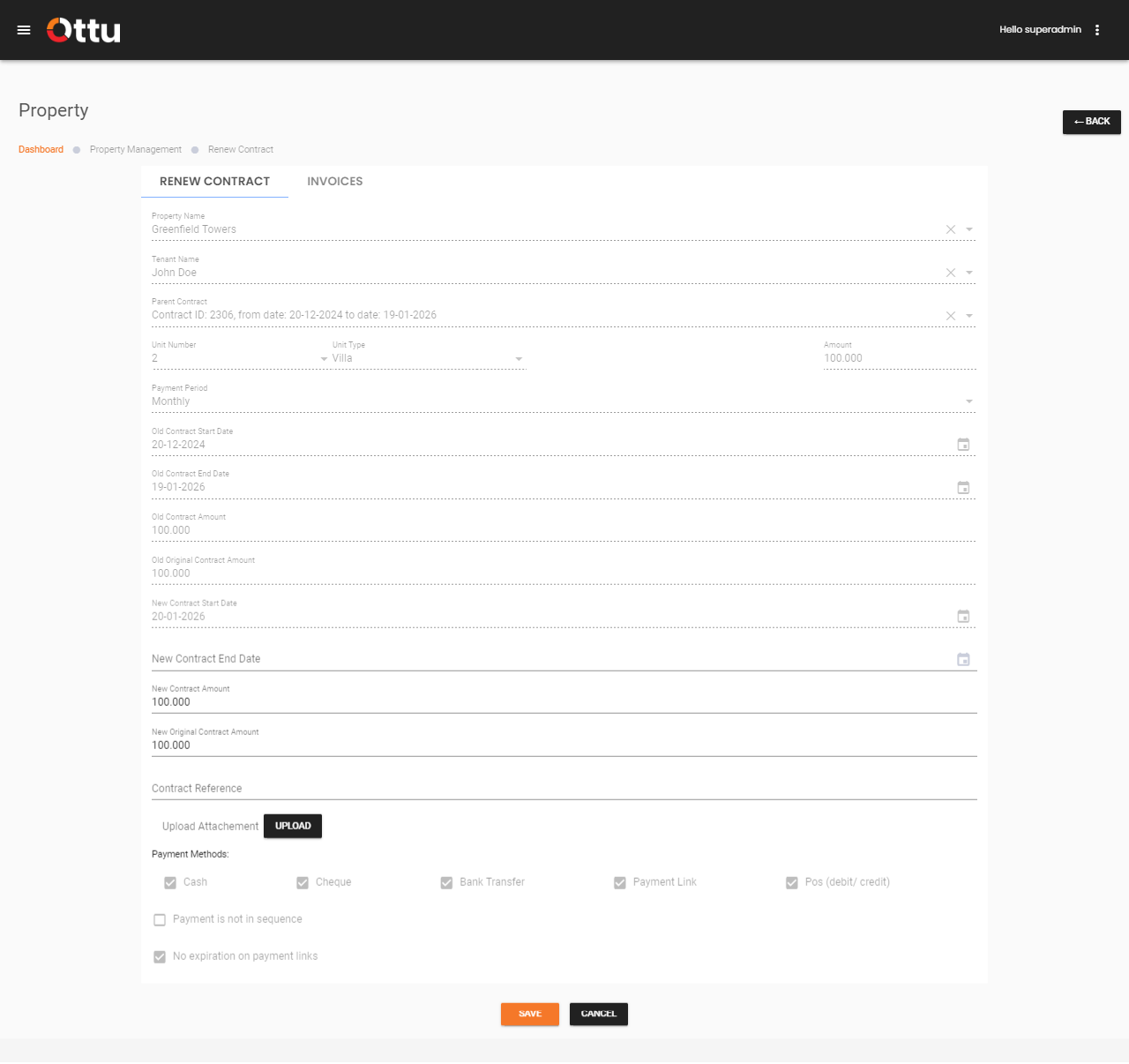
When you select Renew Contract, the system redirects you to the Renewal Contract Form.
Renew Contract Form
Most fields are automatically populated and cannot be modified. The merchant must fill in:
| Field | Description | Editable |
|---|---|---|
| New Contract End Date | The proposed end date for the renewed contract | Required |
| New Contract Amount | Rent amount for the unit | Auto-filled, can be modified |
| New Original Contract Amount | The maximum amount the merchant can demand per payment period | Auto-filled, can be modified |
| Contract Reference | A unique identifier or code assigned to the contract for tracking | Auto-filled, can be modified |
| Upload Attachment | Any relevant documents related to the contract renewal | Optional |
What's Next?
- Contract Management -- Overview of all contract actions
- Terminate Contract -- End a contract when needed
- Auditing -- Track renewal history and roll back if needed