Tenant Management
Add New Tenant
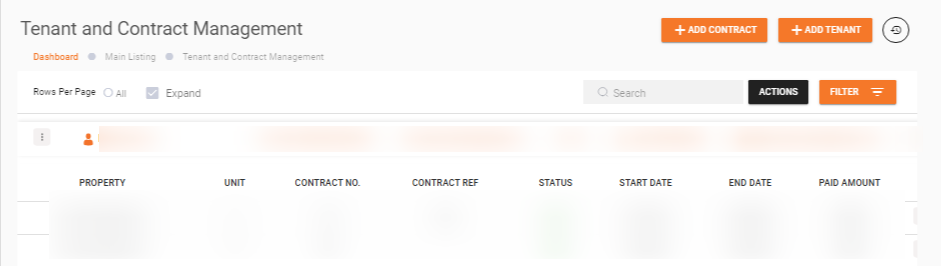
To add a new tenant, click the +ADD TENANT button within the Tenant and Contract Management section.
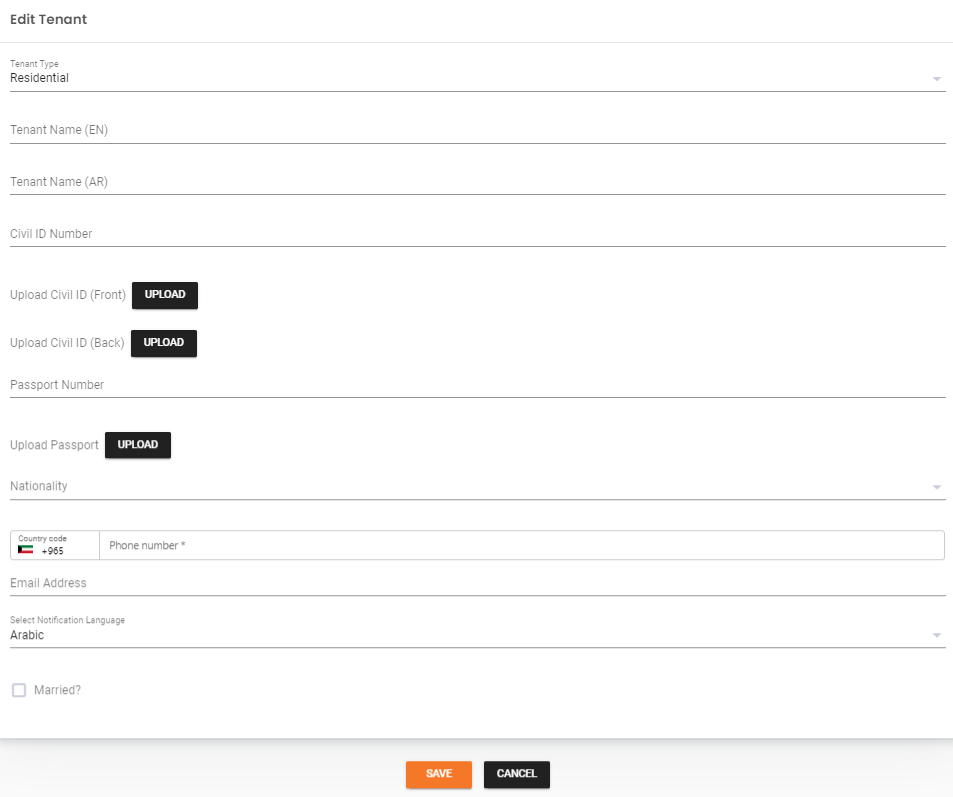
New Tenant Form
The form fields vary depending on the tenant type.
For Residential Tenant Type
| Field | Description |
|---|---|
| Tenant Name (EN) | Name of the tenant in English |
| Tenant Name (AR) | Name of the tenant in Arabic |
| Civil ID Number | Civil ID number of the tenant |
| Upload Civil ID (Front) | Scanned copy of the front side of the civil ID |
| Upload Civil ID (Back) | Scanned copy of the back side of the civil ID |
| Passport Number | Passport number of the tenant (if applicable) |
| Upload Passport | Scanned copy of the passport (if applicable) |
| Nationality | Nationality of the tenant |
| Phone Number | Phone number of the tenant |
| Email Address | Email address of the tenant |
| Select Notification Language | Preferred language for notifications |
| Is Married | Whether the tenant is married (Yes/No) |
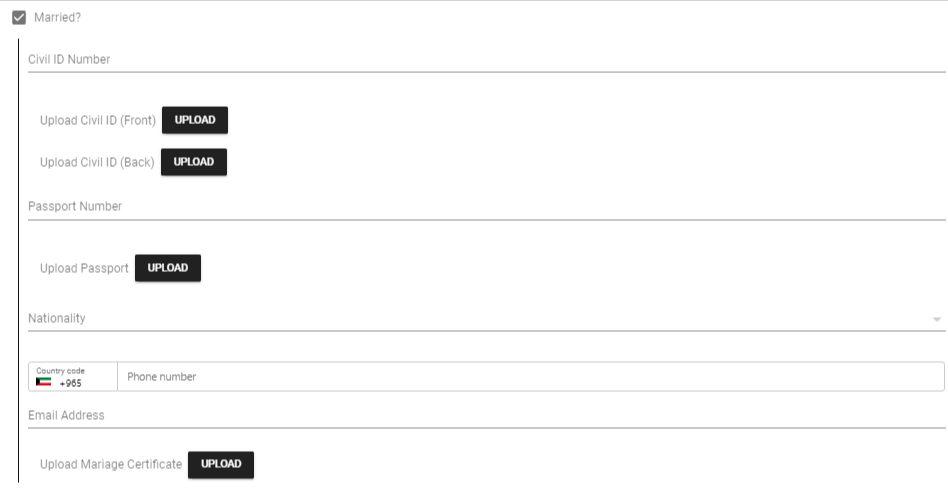
When the tenant is married, additional fields appear for the spouse's information:
| Field | Description |
|---|---|
| Civil ID Number | Civil ID number of the spouse |
| Upload Civil ID (Front) | Scanned copy of the front side of the spouse's civil ID |
| Upload Civil ID (Back) | Scanned copy of the back side of the spouse's civil ID |
| Passport Number | Passport number of the spouse |
| Upload Passport | Scanned copy of the spouse's passport |
| Nationality | Nationality of the spouse |
| Phone Number | Phone number of the spouse |
| Email Address | Email address of the spouse |
| Upload Marriage Certificate | Scanned copy of the marriage certificate |
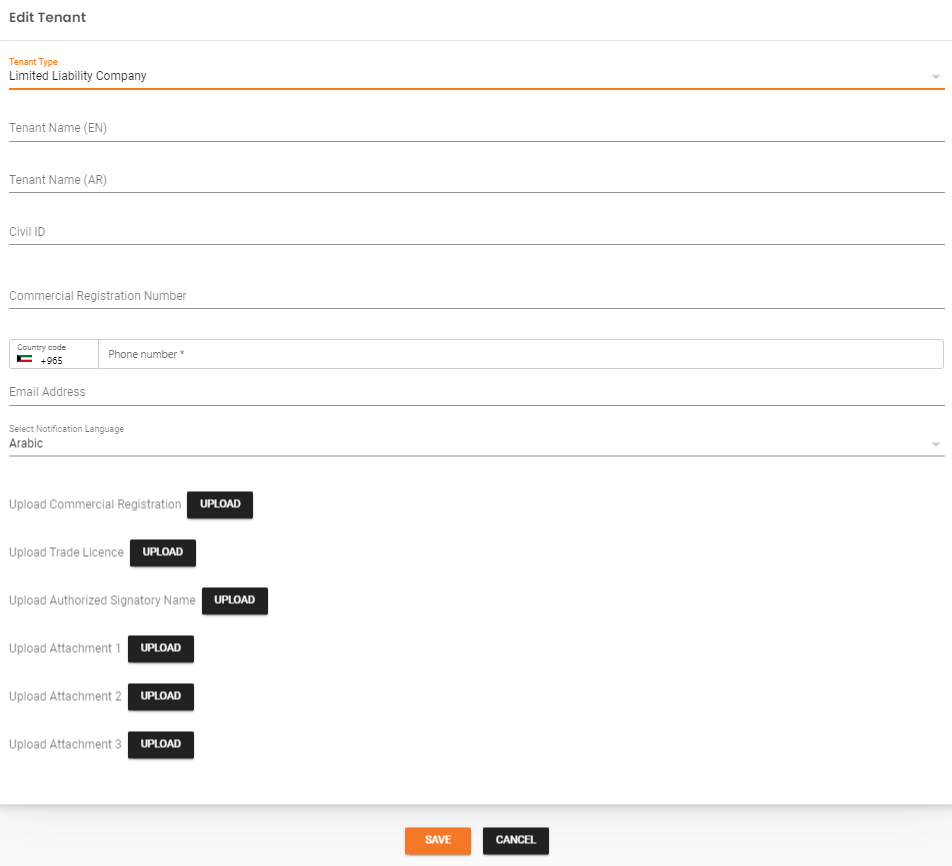
For Limited Liability Company or Listed Company Tenant Type
| Field | Description |
|---|---|
| Tenant Name (EN) | Name of the company in English |
| Tenant Name (AR) | Name of the company in Arabic |
| Civil ID Number | Civil ID number of the company representative |
| Commercial Registration Number | Commercial registration number of the company |
| Phone Number | Phone number of the company representative |
| Email Address | Email address of the company representative |
| Select Notification Language | Preferred language for notifications |
| Upload Commercial Registration | Scanned copy of the commercial registration |
| Upload Authorized Signatory Confirmation | Confirmation document for the authorized signatory (Listed Company only) |
| Upload Trade License | Scanned copy of the trade license |
| Upload Authorized Signatory Name | Name of the authorized signatory |
| Upload Attachment 1-3 | Additional attachments (if applicable) |
Edit Tenant
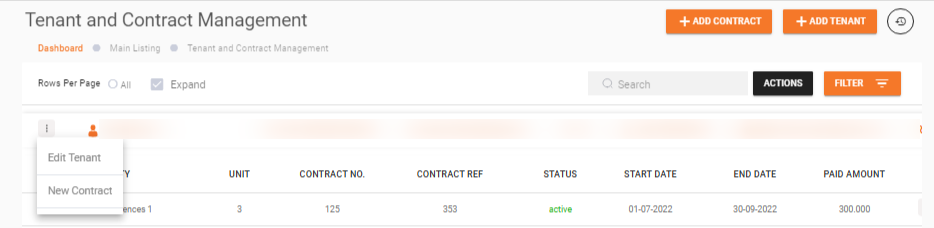
- Search for the Tenant -- Locate the desired tenant from the list.
- Open the Dropdown Menu -- Click the three dots (...) at the beginning of the tenant's row.
- Select Edit Tenant -- Choose Edit Tenant from the dropdown menu to open a pre-filled form.
- Update Details -- Modify the editable fields as needed.
- Save Changes -- Click Save to apply the changes.
What's Next?
- Dashboard -- View all tenants and contracts
- Add Contract -- Create a rental agreement for a tenant
- Contract Management -- Manage existing contracts