Transactions
Transaction Dashboard
The Transaction Dashboard is accessible through the Ottu Real Estate Dashboard in the Main Listing Section. It provides a clear overview of all initiated transactions with key financial insights:
- Total Generated Amount -- The cumulative value of all transactions.
- Total Received Amount -- The amount successfully collected from transactions.
- Net Balance -- The difference between the generated and received amounts.

A detailed transaction table displays a comprehensive history of each transaction, including:
- Transaction state
- Amount
- Order number
- And more
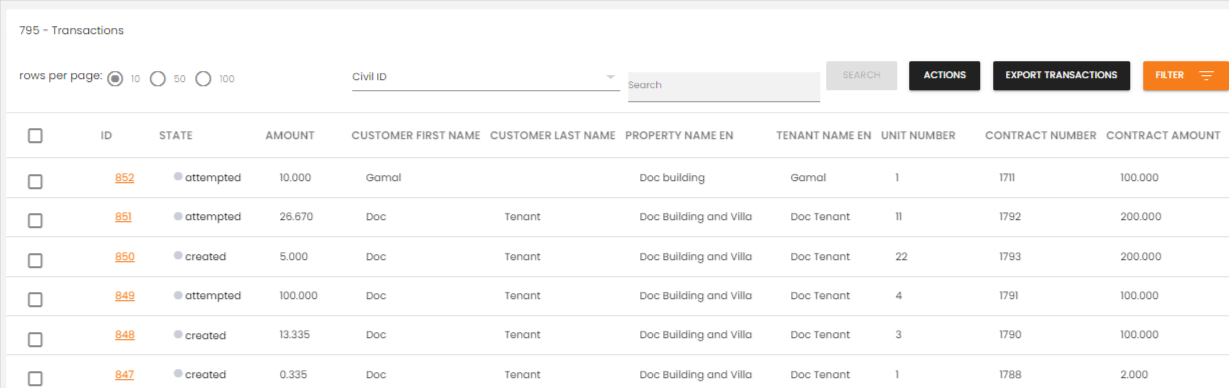
These details allow merchants to monitor and track transaction performance effectively.
Disclose to Merchant
At the end of each transaction row in the Transaction Table, there is an Action Column. From there, merchants can trigger a Disclose to Merchant action, which retrieves and discloses detailed transaction data directly to the real estate service.
This feature ensures transparency and provides real-time updates on transaction statuses.
What's Next?
- Invoices Management -- View and manage all invoices
- Generate Invoice -- Create new invoices and payment links
- Auditing -- Track and roll back activities