Two-Step Refund & Void Authorization
The Two-Step Authorization feature implements a maker-checker workflow for refund and void operations. One user (the maker) submits the request, and another user (the checker) approves or rejects it. This ensures no single person can unilaterally issue a refund or void a transaction.
Maker and Checker Roles
| Role | Description |
|---|---|
| Maker | A user with refund/void permissions (see Refund & Void Access Control) who submits operation requests |
| Checker | The single authorized user who approves or rejects submitted requests. The checker can also execute refunds and voids directly without going through the approval flow. |
A merchant can have multiple makers, but only one checker. The checker has the authority to process refunds and voids directly.
Activating the Feature
-
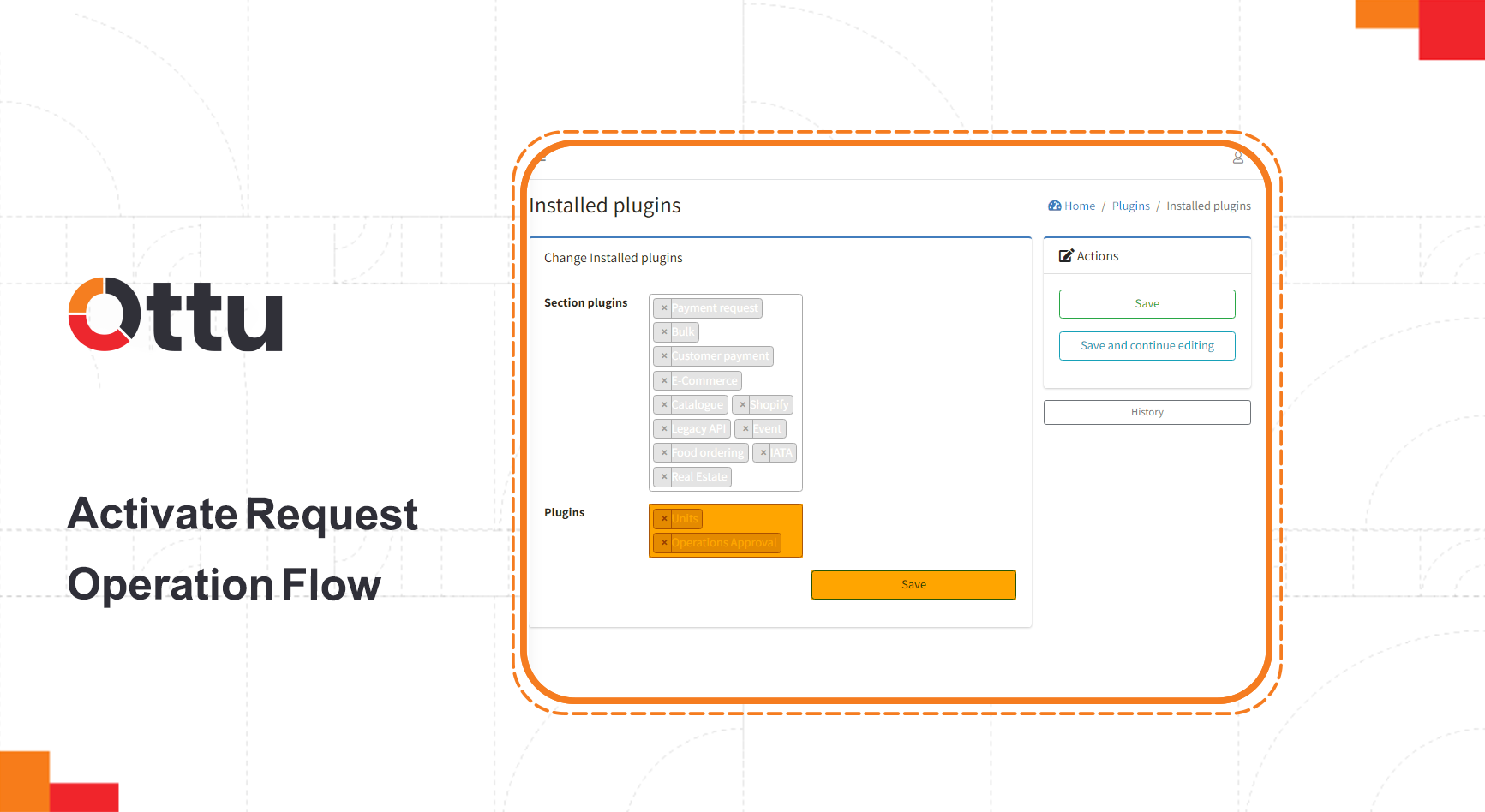
From the Ottu Dashboard, open the Administration Panel.
-
Navigate to Plugins > Installed Plugins.

-
Add the Operations Approval plugin.
Assigning the Checker
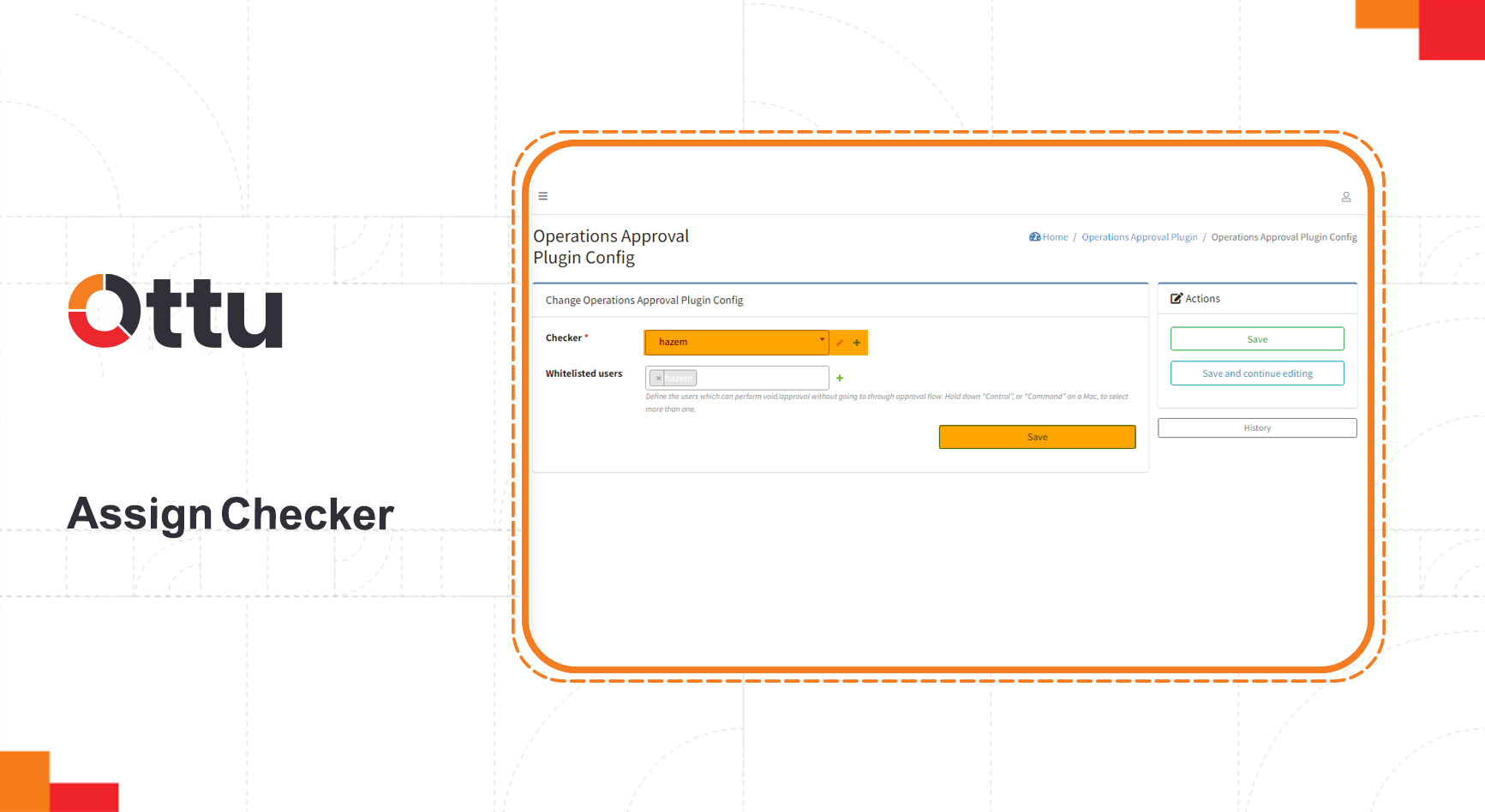
Only one authorized user can designate the checker:
- Go to Ottu Dashboard > Administration Panel > Operations Approval Plugin > Operations Approval Plugin Config.
- Select the user who will serve as the checker.
How the Workflow Operates
Request Lifecycle
- Maker submits a refund or void request.
- The request enters Pending state.
- Checker reviews the request and either approves or rejects it.
- Based on the checker's decision:
- Approved — The operation executes automatically. If successful, the state transitions to Done. If it fails, the state becomes Manual Action Required.
- Rejected — The state transitions to Rejected.
State Transitions
Key Rules
- No duplicate requests — You cannot submit a new operation request while a Pending request exists for the same transaction. The system displays: "Requested {Operation} is pending for approval."
- Canceled request protection — If the checker tries to approve a request that was already canceled, an error message is returned.
- Automatic execution on approval — Once approved, the refund or void executes automatically.
- Retry capability — In the Approved or Manual Action Required state, any user with permission can click Retry to re-attempt the operation.
- Auto-expiration — Requests in Manual Action Required state expire after 48 hours (configurable) if no action is taken.
- Remaining funds — After an operation reaches Done, additional requests for the same transaction are only allowed if there are remaining funds, and only refund (not void) is permitted.
When an operation transitions to Manual Action Required, the maker is notified via email. Respond promptly — the request will expire and become unrecoverable if the 48-hour window passes without action.
Whitelisted Users
The user who assigns the checker can also add whitelisted users who have elevated access within the Operations Approval workflow. Configure this at:
Administration Panel > Operations Approval Plugin > Operations Approval Plugin Config
Email Notifications
The system sends email notifications at key points in the workflow:
| Event | Recipient |
|---|---|
| Operation transitions to Manual Action Required | Maker |
| Refund or void completes (Done state) | Customer (and optionally the maker) |
| Operation is Rejected | Maker only |
To include the maker in "Done" notification emails, enable the BCC initiator setting: go to Ottu Dashboard > Administration Panel > Unit > Unit Configs and check the BCC initiator checkbox.
Operation Request Table
The Operation Request Table is located under the Tickets tab on the Ottu Dashboard. It provides a centralized view of all refund and void requests with filtering by state, operation type, date, payment gateway, and currency.

Table Columns
| Column | Description |
|---|---|
| ID | Unique identification number of the operation request |
| Date | When the request was created |
| Requested By | The maker who initiated the request |
| For Transaction | The original transaction ID (click to view payment details) |
| Operation | Whether this is a refund or a void |
| Amount | Total amount of the original payment transaction |
| Operation Amount | The specific amount requested for the refund or void |
| Status | Current state: Pending, Approved, Rejected, Manual Action Required, or Expired |
| Currency | Currency of the payment transaction |
| Payment Gateway | The gateway used for the original transaction |
| Action | Available actions depend on role — Checker: Approve, Reject, or Retry. Maker: Cancel or Retry. |
What's Next?
- Refund & Void Access Control — Set up the underlying permissions
- Operations & Controls — Overview of all operational security features
- Payment Management — Manage transactions and view operation history
- Notifications — Configure notification delivery channels