E-Commerce
The E-Commerce plugin connects Ottu to your online store, enabling seamless payment processing for your products. Track transactions, customize checkout branding, and settle funds directly to your bank account — all without third-party intermediaries.
Key Features
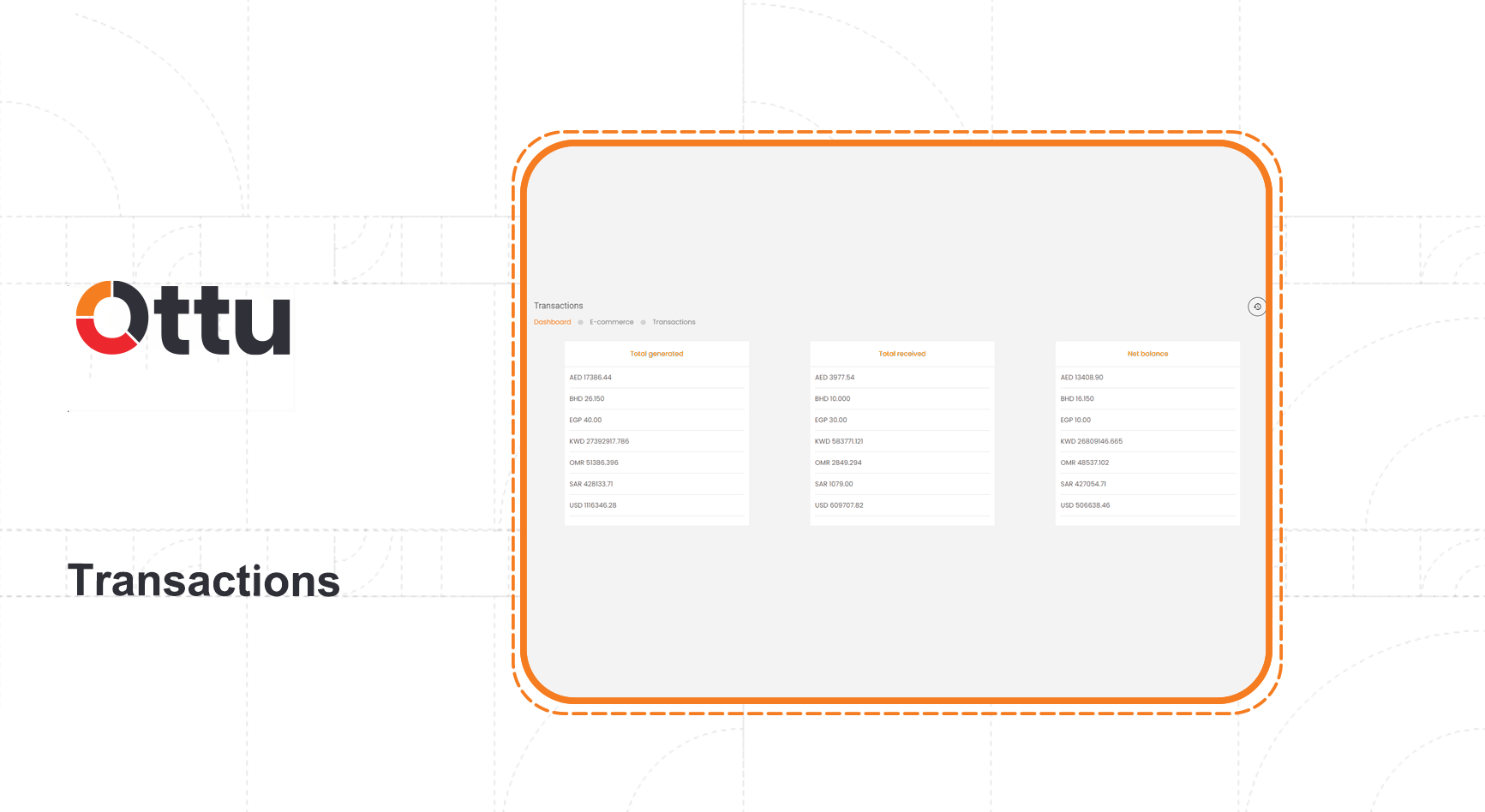
- Comprehensive transaction tracking — Monitor all e-commerce transactions from a single dashboard, including totals generated, received, and net balance.
- Seamless payment integration — Integrate with popular e-commerce platforms (WooCommerce, Magento, OpenCart, and more). See the platform compatibility table for the full list.
- White-label customization — Brand the checkout page and redirect URLs with your own logo and colors.
- Secure direct settlement — Funds settle directly to your bank account with no third-party holding of funds.
- Guided setup — The Ottu operations team provides hands-on support for plugin installation and platform-specific configuration.
Plugin Configuration
Step 1 of 3

Step 1 of 3
Open the Administration Panel
From the Ottu Dashboard, click the three-dot menu in the top-right corner and select Administration Panel.
Configuration Options
| Setting | Description |
|---|---|
| Redirect URL | The page where customers land after completing payment |
| Disclosure URL | The payment transaction report showing all transaction statuses |
| Transaction Expiration Time | How long a transaction link remains valid before expiring |
| Email Payment Details | Send additional transaction details to the customer via email |
| SMS Payment Details | Send transaction details to the customer via SMS |
| Individual Proxy Fields Enabled | Enable this when using a proxy setup between your store and Ottu |
Tracking E-Commerce Transactions
Once the plugin is active, you can monitor all past transactions and your store's financial performance directly from the dashboard.
The summary view displays:
- Total generated — Sum of all transaction amounts created
- Total received — Sum of all successfully completed payments
- Net balance — Difference between generated and received amounts

Each individual transaction includes detailed information and a real-time status update:
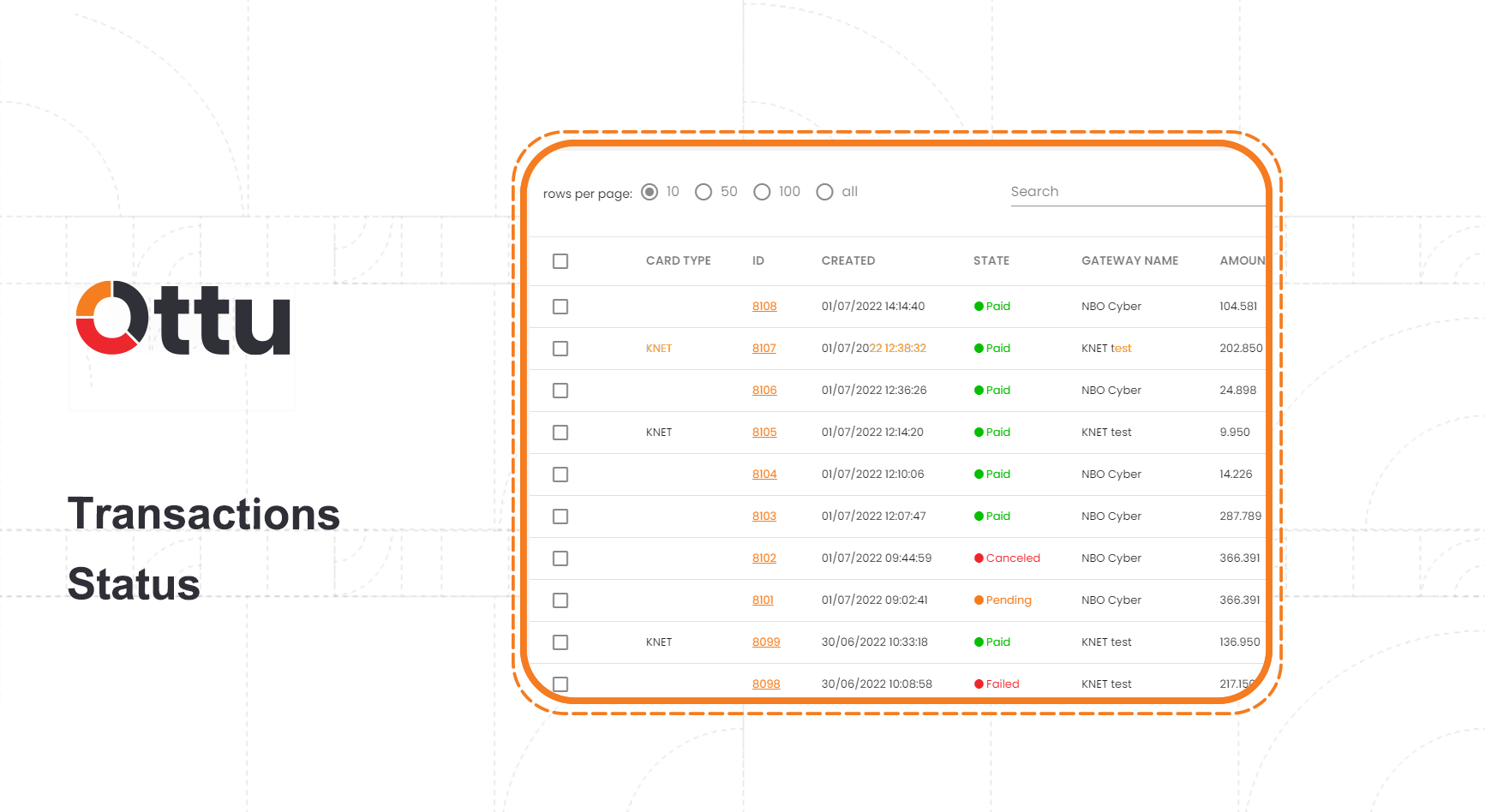
Transaction States
| State | Description |
|---|---|
| Paid | The transaction completed successfully |
| Canceled | The transaction was canceled or terminated |
| Pending | The transaction is still in progress |
| Failed | The transaction did not complete successfully |
note
For a complete reference of all payment states and their transitions, see Transaction States.
What's Next?
- Plugins Overview — See all available plugins and platform compatibility
- Payment Request — Create individual payment links for customers
- Payment Management — Search, filter, and manage all transactions
- Notifications — Configure email and SMS notifications for payments