Webhooks Configuration
Webhooks allow Ottu to send real-time HTTP notifications to your server when payment events occur — such as a successful payment, a failed transaction, or a refund. Instead of polling the API for updates, your system receives instant notifications with full transaction details.
For technical details on webhook payloads, signatures, and integration, see the developer webhook documentation.
Accessing Webhook Configuration
- Open the Ottu Dashboard
- Click the three dots in the top-right corner to open the Administration Panel
- Navigate to Webhook > Webhook Config

General Settings
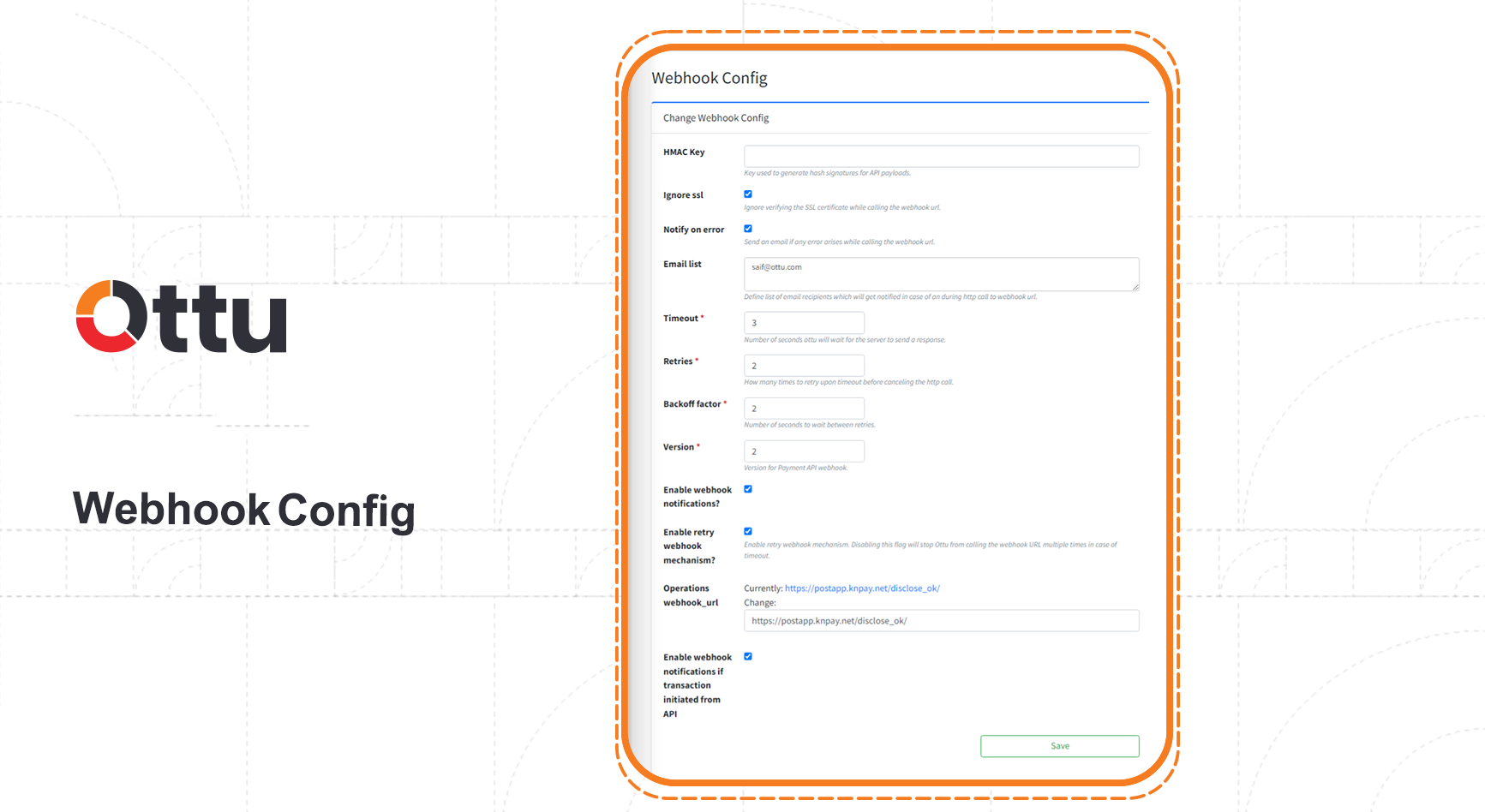
| Field | Description |
|---|---|
| HMAC key | The secret key used to generate webhook signatures. Your server uses this to verify that notifications genuinely come from Ottu. See Signing Mechanism |
| Ignore SSL | When checked, Ottu skips SSL certificate verification when calling your webhook URL. Use only in development environments |
| Notify on Error | When checked, sends an email notification if an error occurs while delivering a webhook |
| Email List | The email addresses that receive webhook error notifications |
| Timeout | How long (in seconds) Ottu waits for a response from your server before considering the attempt failed |
| Retries | The number of retry attempts if the first webhook delivery fails. Requires Enable retry webhook mechanism to be checked |
| Backoff factor | The wait time (in seconds) between retry attempts |
Retry Example
Consider a scenario where your server is down for 30 seconds, with these settings: timeout = 20s, retries = 3, backoff factor = 5s.
First attempt:
- Ottu sends the webhook request to your server.
- Your server does not respond within 20 seconds (timeout). The attempt fails.
- Ottu waits 5 seconds (backoff factor) before retrying.
Total time elapsed: 25 seconds.
Second attempt:
- Ottu sends the webhook request again.
- Your server is back online (30 seconds have passed) and responds successfully.
The webhook is delivered on the second attempt.
Additional General Fields
| Field | Description |
|---|---|
| Version | The webhook API version |
| Enable webhook notifications | Master switch to activate webhook notifications |
| Enable retry webhook mechanism | Activates the retry logic described above |
| Operations webhook_url | A dedicated URL for receiving operation notifications (refunds, voids, captures) |
| Enable webhook notifications if transaction initiated from API | When checked, webhooks fire even for transactions created via the API (not just dashboard-created transactions) |
The HTTP status code your server returns in response to a webhook determines where the customer is redirected:
| Your Server Returns | Customer Is Redirected To |
|---|---|
| 200 | The redirect_url you specified when creating the payment |
| 201 | Ottu's payment summary page |
| Any other code | Ottu's payment summary page (and an error email is sent if Notify on Error is enabled) |
Webhook Plugin Configs
You can define webhook behavior for specific plugins, routing notifications for different plugins to different URLs.
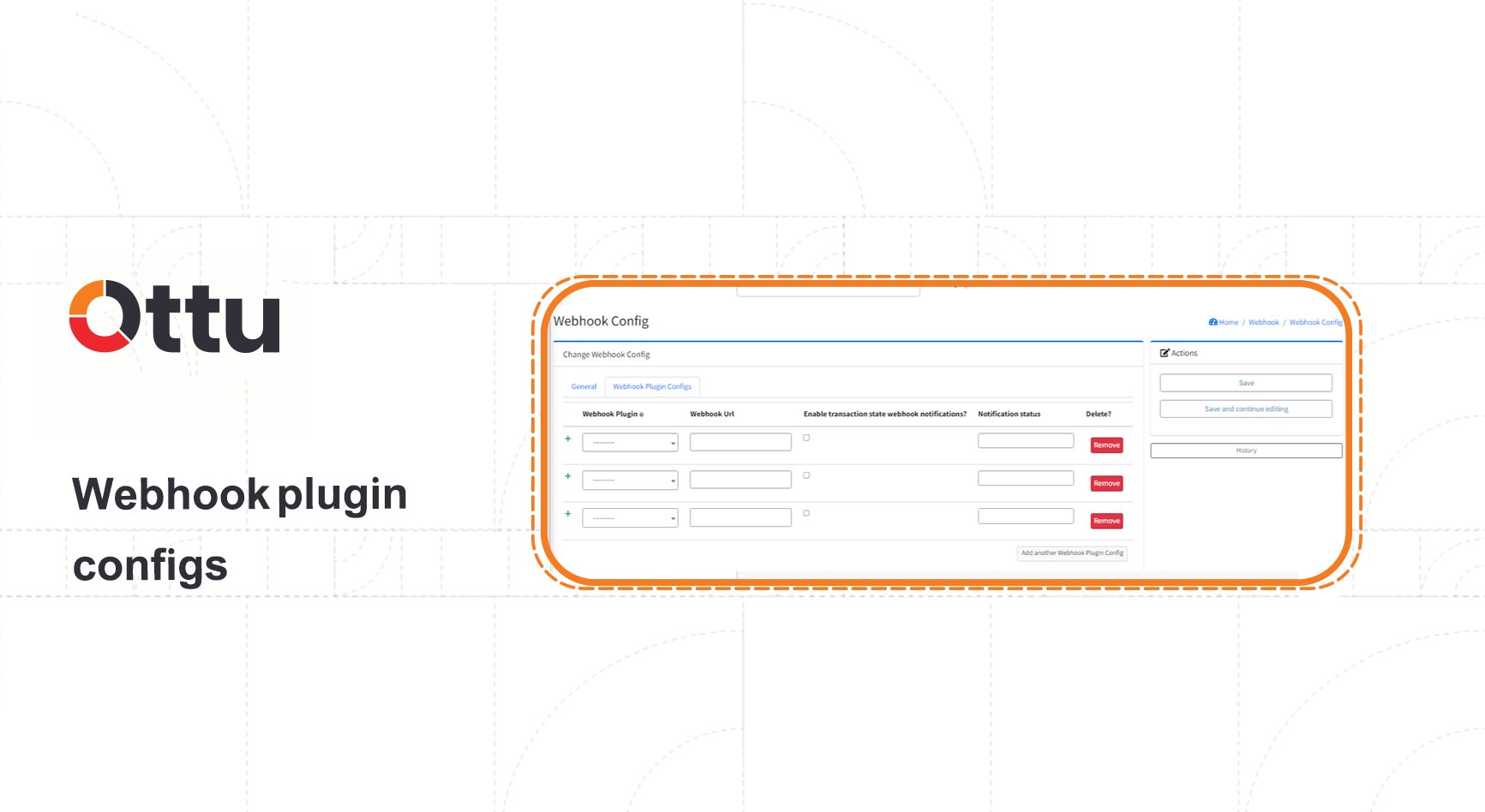
| Field | Description |
|---|---|
| Webhook plugin | The plugin this configuration applies to |
| Webhook URL | The URL that receives webhook notifications for this specific plugin |
| Enable transaction state webhook notifications | When checked, notifications are sent only for the transaction states defined in Notification status |
| Notification status | The transaction states that trigger a webhook: paid, failed, authorized, canceled. See Transaction States |
| Delete | Removes this plugin-specific webhook configuration |
The webhook URL defined in a plugin configuration receives notifications for both payment events and operation events. If you configure both an Operations webhook_url (in general settings) and a plugin-specific webhook URL, Ottu sends data to both URLs.
What's Next?
- Global Configuration — Configure merchant identity and system-wide settings
- Notifications — Set up customer-facing email, SMS, and WhatsApp notifications
- Webhooks (Developer Guide) — Technical documentation for webhook payloads, signatures, and integration